
Crash Engine Beginner Guide
Checked in-game on November 28, 2026
New to Crash Engine? Join the Softbody Games version on Roblox, spawn the free Taiga and crash it into something solid: every broken part pays Coins, and finishing a task pays far more. Then press R to repair and try grabbing cars, the Objects menu, the rewind and the Map Creator.
1. Join the right Crash Engine
Open Crash Engine on Roblox and check that the creator is Softbody Games. Car Crash Engine is a different game by another studio, so guides for it won't match what you see. Crash Engine is free to join, and one server holds up to 24 players.
2. Learn the screen
Once you are in a server, a menu runs down the left side of the screen with four buttons: Cars, Objects, Teleport and Shop. Your Coin balance sits in the bottom-left corner, and a tab on the left edge opens your task list. The hand button and the rewind button are in the top-right corner.
The main menu has its own tabs: Home, Maps, Create, Leaderboards, Garage and Shop. The Garage is where you preview a car and change its body color, body finish, rim color and rim finish.
3. Spawn the free Taiga
A new player starts with 0 Coins, and the game prompts you to spawn your first car. Open Cars, pick the Taiga and press Spawn. The Taiga is free for everyone: a rear-wheel-drive sedan with a 1.6 carburetor I4, 74 hp and a 91 mph top speed. The other 18 cars cost from 1,500 to 150,000 Coins; the cars page lists every price.
4. Drive into something and watch the damage
Crash Engine is built on soft-body physics. When you hit a wall, a pole or another car, the body bends at the point of impact, glass breaks and parts can tear off. The game describes every car as having its own engine sound, weight and handling, with suspension, grip, skids and tire marks, so try a slow hit and a fast one and compare the damage. A speedometer in the bottom-right corner shows your speed in MPH and your current gear, and after a crash a car outline in the top-right corner colors in the damaged areas.
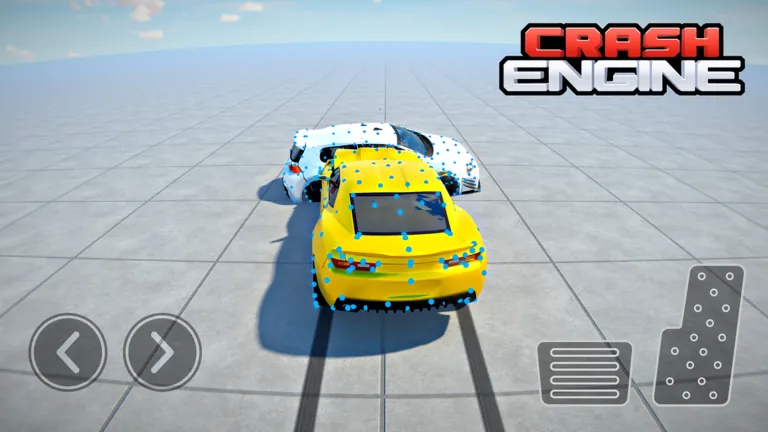
Two of the official screenshots show on-screen steering arrows and pedal buttons, so you can drive without a keyboard.
5. Collect Coins from every crash
Every part you damage pays Coins. The payouts pop up in a list at the bottom of the screen, and repeated damage of the same kind is grouped into one line. One crash of the free Taiga into a concrete block paid this:
- Engine smoking: +90 Coins
- Window smashed x4: +43 Coins
- Front crushed: +38 Coins
- Bumper torn off: +25 Coins
- Side dented x2: +16 Coins
- Rear dented: +8 Coins
- Light smashed: +6 Coins
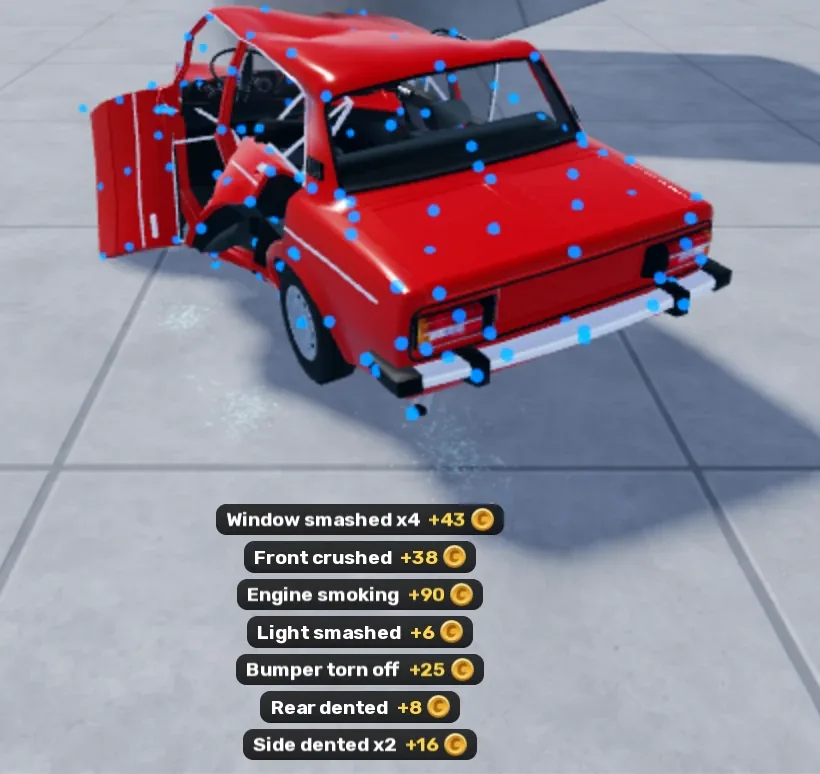
That is 226 Coins from one crash, and the engine damage was the biggest single payout. A task that finished during the same crash paid +750 Coins, more than three times the crash itself, so open the task list early and work through it. With the Vesna at 1,500 Coins and the Brickvan and Trekker at 4,000, tasks are worth doing before you start saving for a new car.
6. Repair with R
While you drive, two buttons sit on the right side of the screen: Repair on the R key and Controls on the G key. After your first big crash the game points you to Repair. Repair is the quick way back to a clean car, so you can line up the next crash and earn more Coins.
7. Grab a car and throw it
You don't have to drive to crash. The game description says you can grab cars and throw them. The hand button in the top-right corner switches Grab mode, and a "Grab mode: on" message appears when it is active. Pick a car up and send it into a wall, a ramp or another car.
8. Place obstacles and Disasters
Open Objects from the left menu to place obstacles, then drive or throw cars into them. The counter on the Objects button shows how many objects you have placed out of 10; a fresh session starts at 0/10. Since Update 1 on November 28, 2026, the objects menu also has a Disasters section with a Meteor, a Train, a Tornado and a Black Hole. Three game passes, More Objects [+15], [+25] and [+50], are named after extra objects.
9. Rewind your crash
Crash Engine can rewind a crash so you can watch it again and see which part of the car bent first. Use the rewind button in the top-right corner. There is a game pass called Longer Replays & Rewind (99 Robux), but rewinding is part of the game's description without it.
10. Try Ragdoll mode
Update 1 added a giant Cyclops to Ragdoll mode. According to the developer's post, it chases you down and throws your car into the air.
11. Build a map, or play someone else's
Crash Engine has a Map Creator, announced four days before Update 1, and the main menu has Maps and Create tabs. Since November 28, 2026, everyone can publish their maps for other players. If you'd rather not build, try a map another player has published. The Leaderboards tab arrived with the Map Creator.
12. Robux and the Starter Pack
You never need Robux: Coins from crashes and tasks buy every car. A Starter Pack offer with a countdown timer shows on the right side of the screen; it is the 49 Robux game pass with the Strata, a Steel Coil and a Speed 300. The other optional game passes cost 49 to 799 Robux, including one called Double Crash Coins. There were no active Crash Engine codes on November 28, 2026.
Beginner checklist
- Join the Softbody Games version of Crash Engine.
- Spawn the free Taiga from the Cars menu.
- Crash once slowly and once fast, and watch the Coin list.
- Open the task list and finish your first task.
- Press R to repair, then crash again.
- Switch on Grab mode and throw the car.
- Place an object, then try a Disaster.
- Rewind a crash, visit Ragdoll mode and play a community map.
Sources
- Crash Engine on Roblox: game description and screenshots, checked November 28, 2026
- Softbody Games on Roblox: Map Creator and Update 1 announcements